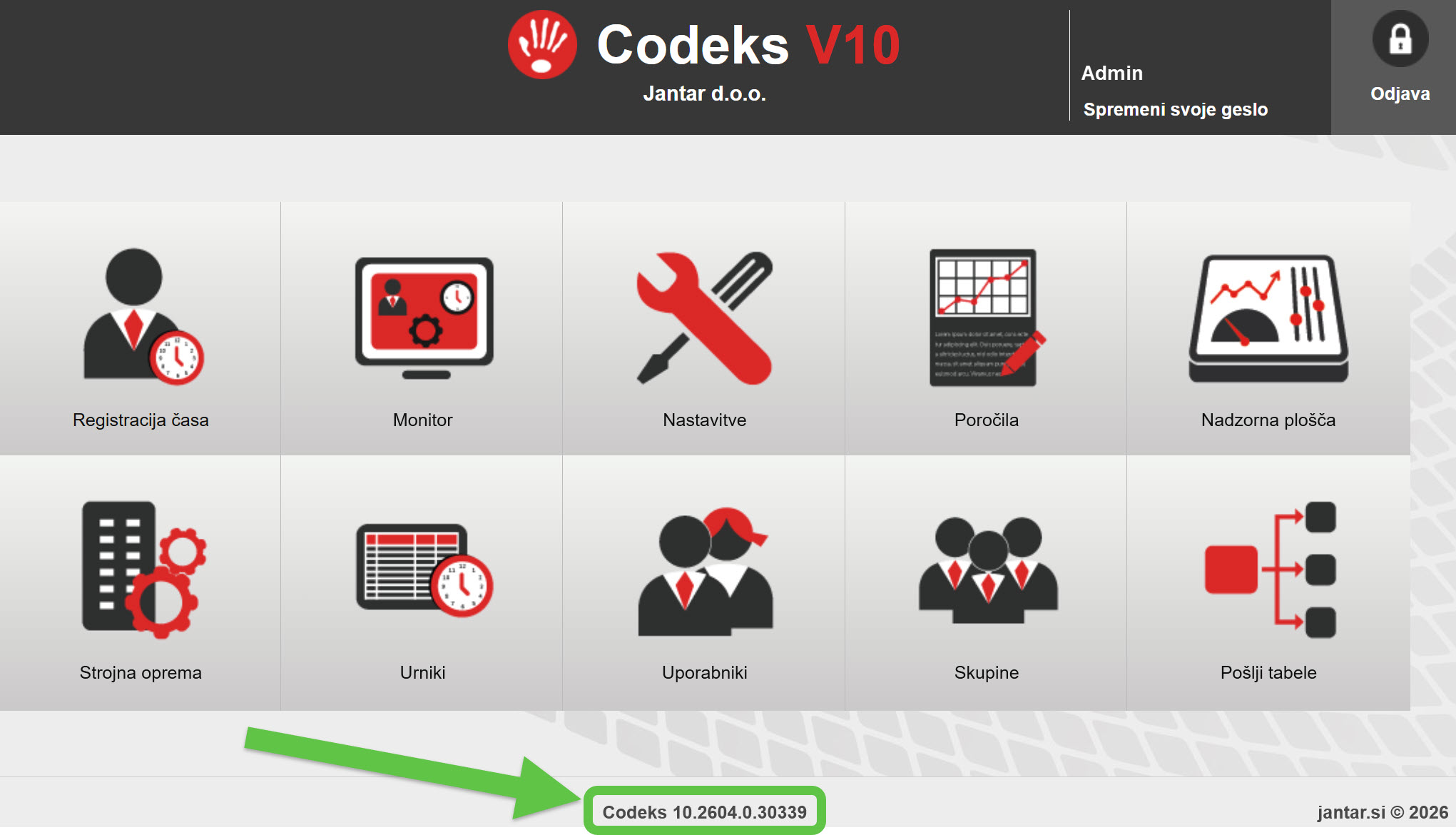
UPGRADE DURATION
Upgrading the system to version 10.2601 may, in some cases, take 1–2 hours. We therefore recommend performing the upgrade at a time when the impact on users is minimal.
WARNING!
Before upgrading the program to Codeks 10.2601.7.28680, all users running versions older than 10.2404.12 are REQUIRED to first upgrade to the special transitional version 10.2404.12.23746!
More information at the LINK.
Older versions
UPGRADE DURATION
Upgrading the system to version 10.2512 may, in some cases, take 1–2 hours.
WARNING!
Before upgrading the program to Codeks 10.2512.3.27411, all users running versions older than 10.2404.12 are REQUIRED to first upgrade to the special transitional version 10.2404.12.23746!
More information at the LINK.
UPGRADE DURATION
Upgrading the system to version 10.2507 may, in some cases, take 1–2 hours.
WARNING!
Before upgrading the program to Codeks 10.2507.1.27436, all users running versions older than 10.2404.12 are REQUIRED to first upgrade to the special transitional version 10.2404.12.23746!
More information at the LINK.
WARNING!
Before upgrading the program to Codeks 10.2501.12.24444, all users with older versions are REQUIRED to first upgrade their program to the special transitional version 10.2404.12.23746!
All users who already have version 10.2404.12.23746 or newer (10.2501.2.xx and above) can upgrade the program normally.
More information at the LINK.
WARNING!
Before upgrading to newer versions, you must first install 10.2404.12.23746!
More information at the LINK.
Can I install the latest version?
You can install a specific version of the software if it was released no later than the calendar month in which your license was still valid.
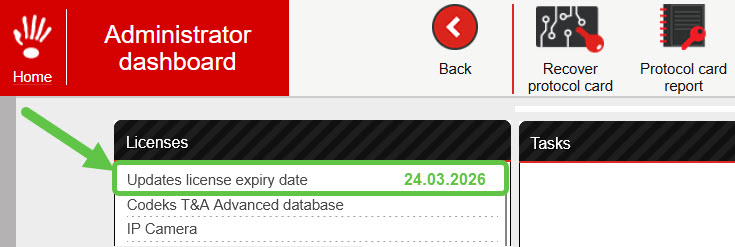
The date until which you are entitled to Codeks software updates is the same as the license expiry date. You can find it in the Codeks application Administrator dashboard.
The names of Codeks software versions include the month and year of release.
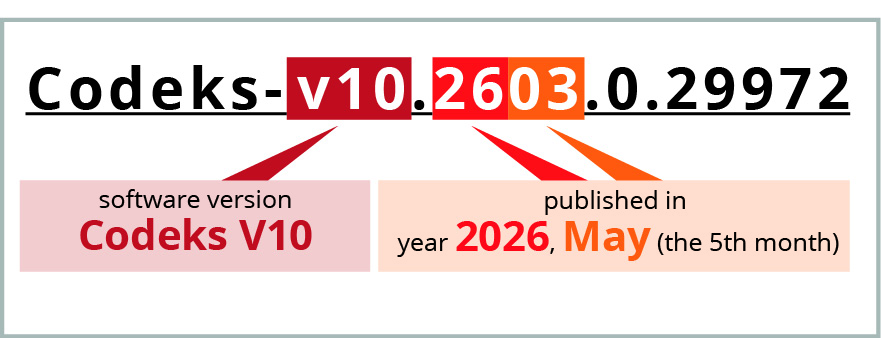
Example:
Your license is valid until May 2, 2021, and the version was released on May 14, 2021. In this case, you can still install version 10.2105.x.xx or older (e.g., 10.2104.x.xx). However, you cannot install version 10.2106.x.xx or newer unless you first obtain a new update license.
You can start the process of obtaining a new license for updates (instructions under item 2 a or b) by sending an PDF Update request document to one of our regional partners.
Manuals and documentation
for Codeks TA Advanced and compatible Codeks add-ons
Codeks TA Manual for Administrators-en.pdf
Codeks TA Time Attendance Reports.pdf
Codeks TA User Manual-en.pdf
Codeks Manual-en.pdf
TA Leave Announces-en.pdf
TA Leave Announces Instructions for Users-en.pdf
ePermits-en.pdf
ePermits Instructions for Users-en.pdf
Presence Monitor-en.pdf
Layouts-en.pdf
FrontDesk-en.pdf
FrontDesk Instructions for Users-en.pdf
IP Camera-en.pdf
Lunch-en.pdf
Lunch Manual for Cooks-en.pdf
Lunch Manual for Employees-en.pdf
Reservations-en.pdf
Reservations Instructions for Users-en.pdf
Shifts-en.pdf
Parking-en.pdf
Distance Table-en.pdf
Distance Table Instructions for Users-en.pdf
Virtual Card-en.pdf
Virtual Controller-en.pdf
Codeks Mobility-en.pdf
Codeks Pass-en.pdf
License Plates ANPR-en.pdf
Manual CodeksGmailOAuth2.PDF
External Event Processor-en.pdf
Additional / supplementary programs
Codeks Cleaner
Additional tool for cleaning the database and server files
This program already gets installed on your server during the installation of the main Codeks application.
-
“We provide advice and prepare the best offer, which includes solutions for all your needs.”